Private dashboards that show the truth without exposing the wrong things.
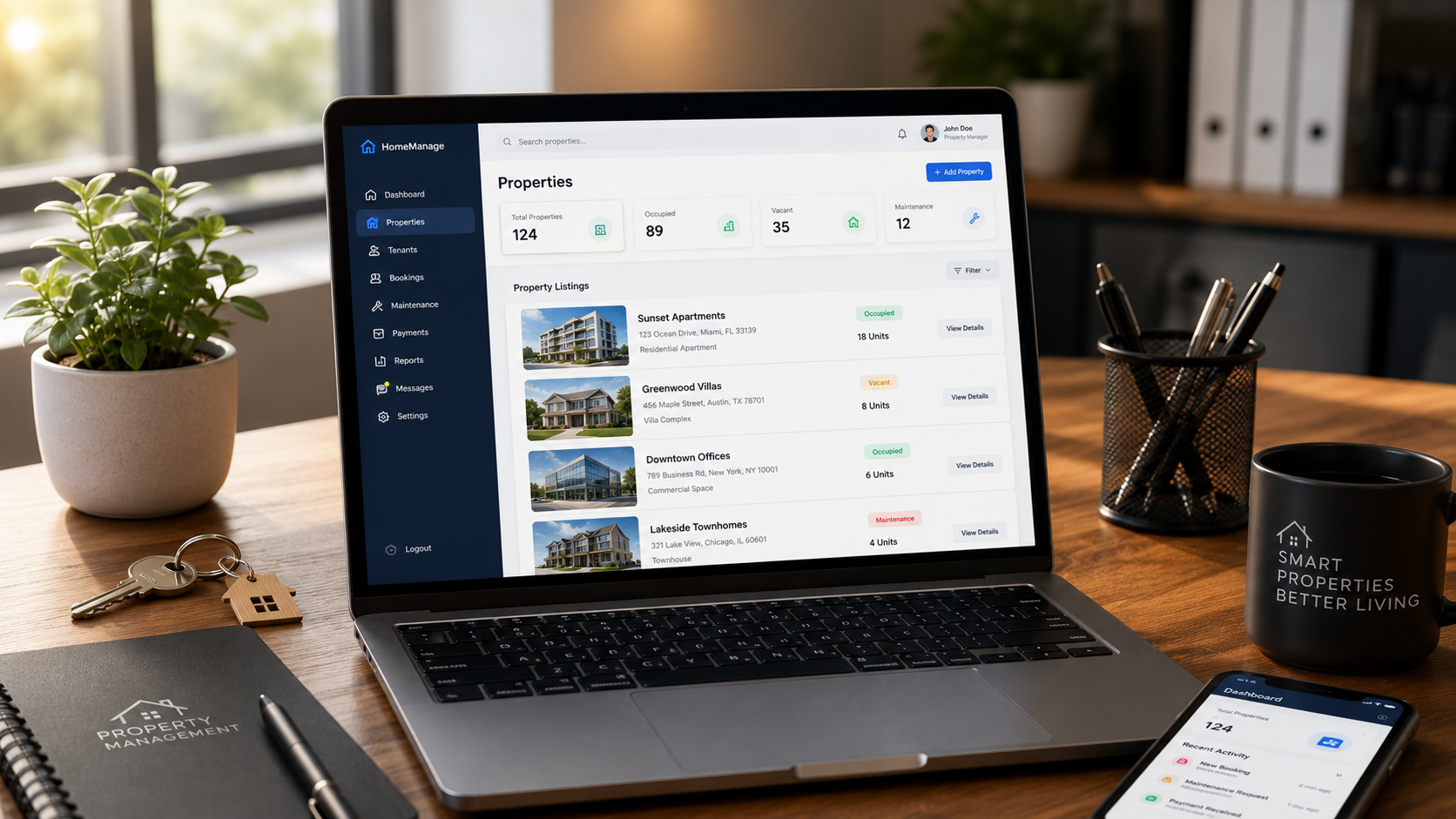
A real dashboard is more than a few charts. It needs login, role permissions, filtered views, reliable data, and a clear opinion about what deserves attention first.
Point builds more than polished public pages. We can plan and develop authenticated dashboards, portals, admin systems, databases, APIs, SaaS-style features, and workflow systems that give a business one organized place to run the work.
What This Covers
Each preview below shows a different layer of a professional build: interface, permissions, records, workflow, automation, reporting, backend structure, and launch-ready product thinking.
Live System Feel
This interactive preview is not connected to private customer data. It shows the kind of product-level thinking Point can bring to dashboards, portals, admin tools, databases, APIs, and SaaS workflows.
Secure dashboards give teams one place to see requests, revenue signals, open tasks, client activity, and exceptions without emailing spreadsheets around.
A real dashboard is more than a few charts. It needs login, role permissions, filtered views, reliable data, and a clear opinion about what deserves attention first.
Portals give customers, tenants, vendors, or members a clean place to submit requests, track status, approve work, upload files, and see what is happening without waiting for a manual reply.
Admins need safe control over records, users, content, bookings, inventory, reviews, and workflows. A good admin system makes everyday operations faster while still protecting the business from accidental changes.
The database is where a production-ready system either becomes dependable or becomes difficult to maintain. Point plans records, relationships, validation, permissions, and reporting early so the system can grow without becoming fragile.
An API is the quiet layer that lets the system feel connected. It can receive form submissions, create records, send notifications, sync tools, power dashboards, and keep the frontend fast.
/api/intake/leads201{
"leadId": "PNT-2048",
"source": "website",
"workflow": "consultation",
"nextAction": "review_scope"
}
/api/dashboard/summary200If the idea needs customers, teams, accounts, recurring access, saved settings, permissions, plans, or reusable workflows, it needs product thinking from the beginning.
The first version still needs to be focused, but it should not be disposable. Point can help shape a product around the core workflow, the first user group, the backend model, and what needs to be true before launch.
The best proof is not a screenshot by itself. It is the reasoning behind the workflow: what was slow, what was unclear, what the system changed, and how the team can operate better after launch.
Most operations break down in the handoffs. A good workflow system turns intake, review, scheduling, updates, approvals, and completion into a visible path that teams can actually follow.
Bring the current process, the people involved, the tools in use, and what keeps slowing the team down. Point can help turn it into a practical build plan.